Бесплатный ИИ-дизайн интерьера в 2026: что действительно бесплатно, а за что стоит платить
Слово "бесплатно" в разных приложениях означает разное. В одном вам дают один рендер и сразу упираются в платную стену - раньше, чем вы успеете разглядеть, как выглядит стиль. В другом вы получаете полноценный, пригодный к использованию результат бессрочно и без привязки карты. А третье выглядит бесплатным в карточке App Store, но подсовывает платную подписку сразу после регистрации. Если вас уже обманывали подобным образом, этот честный разбор - то, что вам нужно.
Вот что бесплатный ИИ-дизайн интерьера реально даёт в 2026 году, где проходят настоящие ограничения и какой единственный вопрос подскажет, стоит ли вам вообще платить.
Три уровня "бесплатного" в ИИ-инструментах для дизайна
Не все бесплатные тарифы устроены одинаково. Прежде чем что-то скачивать, полезно понять, к какой категории относится приложение.
Уровень 1: по-настоящему бесплатно
Небольшая горстка инструментов - и Revamp AI в их числе - позволяет по-настоящему попробовать редизайн комнаты ещё до того, как речь зайдёт об оплате. Revamp AI бесплатен для скачивания, и каждый новый пользователь получает 3 бесплатных кредита навсегда и бесплатный 3-дневный пробный период. Вы загружаете фото своей реальной комнаты, выбираете стиль и сразу получаете готовый к использованию результат, без привязки карты для старта. Сколько это будет стоить после кредитов и пробного периода, указано в App Store, где цена всегда актуальна для вашей страны.
Уровень 2: пробный доступ (1-3 рендера, а дальше платная стена)
Сюда попадает большинство вариаций RoomGPT, Interior AI и похожих веб-сервисов. Вам дают достаточно, чтобы увидеть, что концепция работает, а затем вы упираетесь в лимит кредитов или предложение оформить подписку. Это честная модель, если вам нужен всего один-два результата, но назвать её по-настоящему бесплатной нельзя, если вы хотите перебрать несколько комнат или стилей.
Уровень 3: "бесплатно" только на словах (допродажа с порога)
К этому уровню относится значительная часть предложений в App Store. В карточке написано "бесплатно", вы скачиваете, регистрируетесь - и первое, что видите, это платная стена или крошечный лимит токенов, который заканчивается меньше чем за минуту. Бесплатный тариф здесь существует для видимости в поиске App Store, а не для реального использования.
Прежде чем тратить пять минут на регистрацию, проверьте две вещи: показывает ли инструмент результат до того, как попросить оплату, и есть ли где-то описание того, что входит в бесплатный тариф, помимо самого факта "бесплатно скачать".
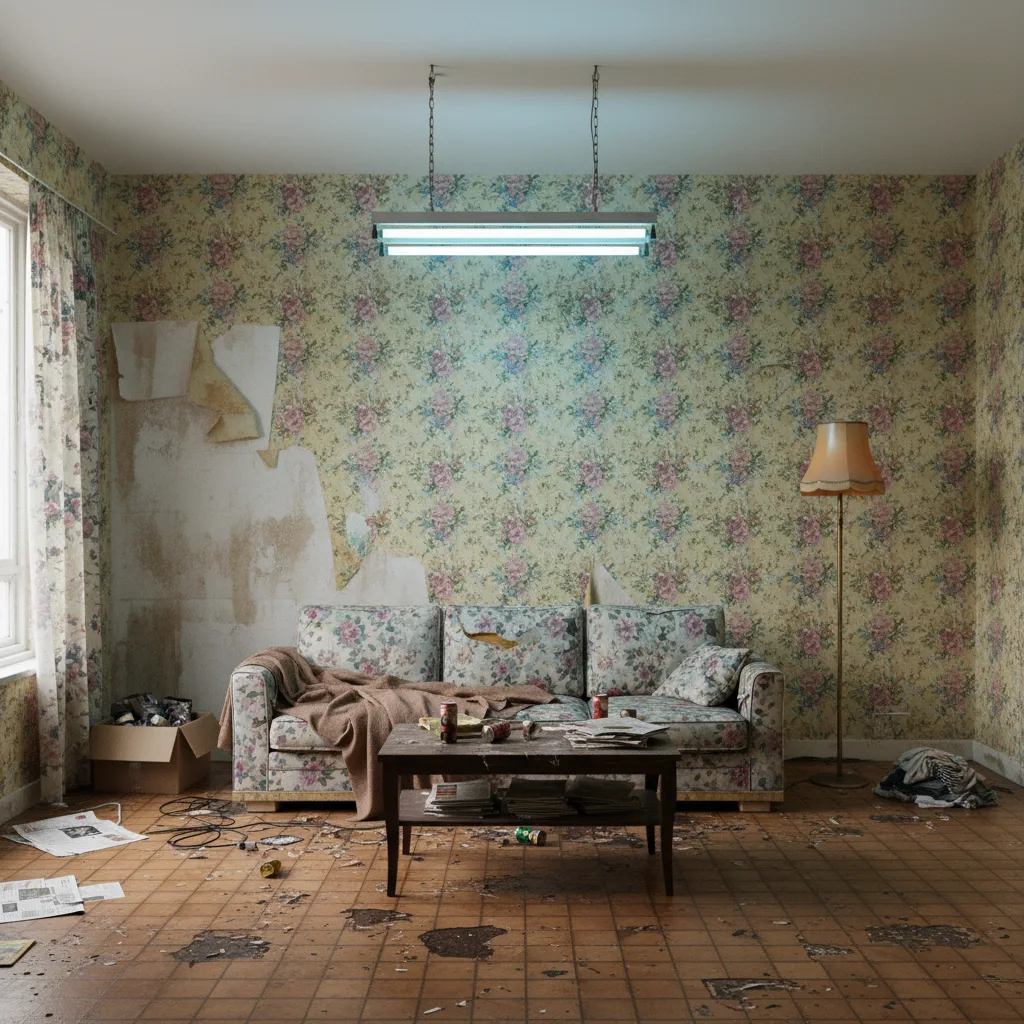
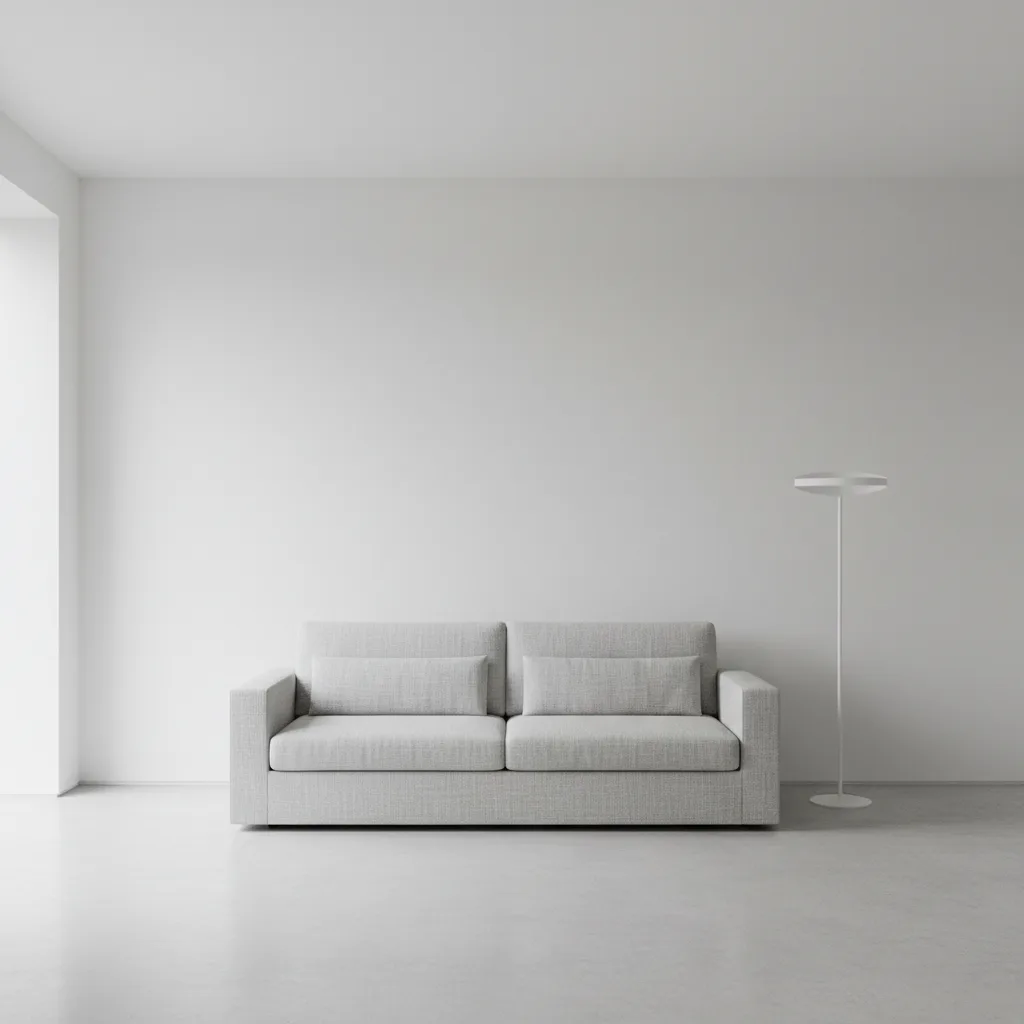
Что Revamp AI даёт бесплатно
Благодаря 3 бесплатным кредитам навсегда и бесплатному 3-дневному пробному периоду вы получаете визуализации нескольких комнат, несколько вариантов стиля для каждой комнаты и возможность загрузить фото своего реального пространства и увидеть его в другой эстетике. Последнее важнее, чем кажется: большинство бюджетных инструментов дизайна работают со стоковыми фото комнат, а не с вашими. Revamp AI отталкивается от вашей настоящей комнаты.
Приложение доступно и на iOS, и на Android, скачивание бесплатное. Выберите скандинавский, индустриальный, джапанди, прибрежный, богемный или любой другой из доступных стилей и посмотрите, как ваша нынешняя комната отзывается на каждый из них. Примените к гостиной. Затем к спальне. Рендер занимает секунды.
Если вы прощупываете направления дизайна перед ремонтом, проверяете интуитивное ощущение по поводу стиля или пытаетесь убедить упрямого члена семьи или подрядчика, бесплатных кредитов навсегда и бесплатного пробного периода хватает, чтобы полностью закрыть эту задачу. Сколько это будет стоить после них, указано в App Store, где цена всегда актуальна для вашей страны.
От чего вы отказываетесь, не платя (в целом по категории)
В целом по категории бесплатных ИИ-инструментов для дизайна комнат самые частые ограничения такие: результат в более низком разрешении - на экране выглядит нормально, но слишком мягкий для печати или профессиональной презентации, водяные знаки на экспортируемых изображениях, лимит на количество стилей за одну сессию, отсутствие сохранённой истории прошлых дизайнов и отсутствие пакетной обработки сразу нескольких комнат.
Ни одно из этих ограничений не имеет значения для самого распространённого сценария. Если вы просто хотите понять, подойдёт ли палитра джапанди вашей спальне перед покраской, стандартного разрешения без водяного знака вполне достаточно. Вы принимаете решение, а не готовите итоговый материал на сдачу.
Единственное ограничение, которое реально ощущается: если вам нужна галерея всех концепций, которые вы прогнали за последний месяц, чтобы показать их подрядчику, большинство бесплатных тарифов такую историю не сохраняют. Вот здесь платный тариф начинает иметь смысл.
Когда бесплатного достаточно
Бесплатный тариф закрывает самую ценную функцию, на которую вообще способен ИИ-инструмент дизайна: показать вашу настоящую комнату в другом стиле до того, как вы потратите хоть копейку. Именно эту услугу дизайнеры продают по $300 в час. Увидеть своими глазами меняет решения совсем иначе, чем описание словами или доска с чужими фото на Pinterest.
Конкретнее: бесплатного достаточно, если вы прорабатываете одну комнату перед покраской или покупкой мебели, хотите проверить направление ремонта до получения смет, смотрите, впишется ли понравившийся в Instagram стиль именно в ваше пространство, или пытаетесь разрешить спор с партнёром или подрядчиком о том, в какую сторону двигаться. Это ситуации "одна комната - одно решение". Бесплатный тариф полностью их закрывает.
Его также достаточно, если вы всё ещё разбираетесь в собственном вкусе. Пять стилей на фото одной и той же комнаты скажут о том, что вам действительно нравится, больше, чем любой тест на определение стиля. Вы отсеиваете неверные направления меньше чем за две минуты - вместо трёх потраченных впустую выходных и ковра, который потом пришлось возвращать в магазин.
Когда платный тариф реально помогает
Платный тариф окупается в узком круге ситуаций: профессиональный стейджинг сразу нескольких объектов, где важны качество результата и разрешение экспорта; ведение ремонта в нескольких комнатах одновременно, где полезна история всех концепций; прогон двадцати с лишним вариантов стиля, потому что вы действительно не можете определиться и хотите сравнить всё сразу; или подготовка мудбордов в экспортном качестве для архитектора, подрядчика или дизайн-студии.
Если ничего из этого не про вас, вы почти наверняка ещё не та аудитория, которой нужна платная подписка на ИИ-дизайн. Большинство домовладельцев, которые прорабатывают одну комнату или разовое обновление интерьера, никогда не исчерпают возможности бесплатного тарифа.
Хорошее эмпирическое правило: если вы открывали приложение больше одного раза за неделю и ловили себя на желании вернуться к дизайну, который сделали три дня назад, - это сигнал, что платный тариф вам пригодится.
Бесплатная версия Revamp AI делает именно то, за что дизайнер берёт $300 в час: показывает вашу комнату в другом стиле до того, как вы что-то решите окончательно.
Если хотите понять более широкую картину того, что вообще доступно на рынке, подборка лучших приложений для ИИ-дизайна интерьера сравнивает основные инструменты по разным сценариям использования. А если вам любопытно, что на самом деле происходит с вашим фото "под капотом", статья как работает ИИ-редизайн комнаты объясняет процесс диффузионной модели, что она делает хорошо, а где регулярно ошибается.
Попробуйте Revamp AI бесплатно
Читайте также: Лучшие приложения для ИИ-дизайна интерьера · Как работает ИИ-редизайн комнаты
Вопросы
Часто задаваемые вопросы
Да. Revamp AI бесплатен для скачивания, и каждый новый пользователь получает 3 бесплатных кредита навсегда и бесплатный 3-дневный пробный период. Кредиты позволяют попробовать AI-редизайн на своих настоящих комнатах, ни на что не подписываясь, а пробный период даёт доступ ко всем функциям приложения на три дня. Сколько это будет стоить после пробного периода, указано в App Store, где цена всегда актуальна для вашей страны.
Зависит от инструмента. Одни требуют аккаунт с первого экрана. Другие позволяют получить результат анонимно и просят зарегистрироваться только для сохранения или экспорта. В Revamp AI можно быстро начать работу на телефоне без долгой процедуры регистрации, прежде чем вы увидите первый результат.
С 3 бесплатными кредитами навсегда в Revamp AI можно попробовать несколько комнат, а бесплатный 3-дневный пробный период даёт на три дня полный доступ к приложению. Сколько это будет стоить после них, указано в App Store, где цена всегда актуальна для вашей страны. Если вы пользуетесь другими инструментами из этой категории, проверьте, работают ли они по системе кредитов или по временному лимиту - эти схемы сильно различаются и не всегда указаны заранее.
Самые частые различия по категории в целом - разрешение результата, водяные знаки на экспортируемых изображениях, возможность сохранять и пересматривать прошлые дизайны, а также пакетная обработка нескольких комнат. Для большинства домовладельцев, принимающих разовое решение по дизайну, эти ограничения не имеют значения. Они становятся важны для профессионального стейджинга, проектов с несколькими комнатами или подготовки материалов для подрядчиков.