Quanto costa davvero il design d'interni con l'AI? Un'analisi onesta dei prezzi nel 2026
Le decisioni di ristrutturazione prese senza una direzione stilistica chiara fanno sprecare soldi: nei colori delle pareti che detesti dopo due settimane, nei mobili che non si intonano con la stanza, nelle ore di manodopera spese per eseguire un progetto che non era mai stato del tutto giusto. Il vero costo di saltare la fase di progettazione non è il prezzo di un abbonamento AI o di una consulenza con un designer. È il divano da $800 che restituisci, la parete accent che ridipingi, i tre tappeti accatastati in ripostiglio. Prima di decidere se pagare per uno strumento di design AI, un servizio di render singolo o un interior designer, conviene sapere cosa offre davvero ciascuna opzione per il prezzo che costa.
Il piano gratuito — cosa ottieni davvero
La maggior parte delle app di design AI offre una qualche forma di accesso gratuito. Il "trucco" varia da prodotto a prodotto. Le restrizioni più comuni includono output con filigrana (inutilizzabile per condividere o presentare il risultato), render a bassa risoluzione (vanno bene per farsi un'idea al volo, ma non per una mood board da mostrare a qualcuno) e limiti settimanali di generazione che si esauriscono prima che tu abbia testato abbastanza stili da prendere una decisione vera.
Revamp AI è gratuito da scaricare, e ogni nuovo utente riceve 3 crediti gratuiti a vita più una prova gratuita di 3 giorni. I crediti bastano per far passare il tuo soggiorno attraverso un paio di direzioni davvero diverse tra loro e vedere quale regge meglio — lo stile Scandinavo oggi, il Japandi domani — mentre la prova gratuita di 3 giorni ti dà accesso completo per confrontare più stili nella stessa sessione. Quanto costa dopo la prova è indicato nell'App Store.
I piani gratuiti, in tutta la categoria, sono più utili per l'esplorazione e per individuare una direzione stilistica. Sono meno utili quando hai bisogno di un output ad alta risoluzione da condividere con un'impresa edile, un designer, o un partner che non è lì accanto a te a guardare lo schermo del telefono.
Le app di design AI in abbonamento — cosa include il piano Premium
Gli abbonamenti a pagamento per il design AI in genere sbloccano tre cose: render illimitati, risoluzione HD e elaborazione prioritaria (tempi di attesa più brevi nei momenti di picco). Per chi sta pianificando attivamente una ristrutturazione, i render illimitati contano più di quanto sembri. Vorrai testare la stessa stanza in una dozzina di stili, rivedere la tua rosa di preferiti man mano che le idee si affinano, e alla fine condividere dei prima/dopo ad alta risoluzione con chiunque ti stia aiutando a realizzare il progetto.
Dopo la prova gratuita di 3 giorni, quanto costa Revamp AI è indicato nell'App Store per il tuo Paese. Il confronto di valore resta comunque utile come riferimento: un'ora con un interior decorator di fascia media, nella maggior parte delle città nordamericane, costa $150–$300, e quella consulenza copre solo le linee generali della direzione stilistica per una stanza, senza render, senza visualizzazioni prima/dopo, senza iterazioni illimitate. Usare l'AI per fare da solo il lavoro di esplorazione visiva prima di parlare con un professionista resta il modo più economico di arrivare preparato all'appuntamento.
Un abbonamento AI mensile si ripaga da solo nel momento in cui evita un solo acquisto sbagliato di mobili. Negli Stati Uniti, il costo medio di un reso di mobili è di $112 tra spese di rimessa a magazzino e spedizione — molte volte il costo di un mese di accesso all'AI.
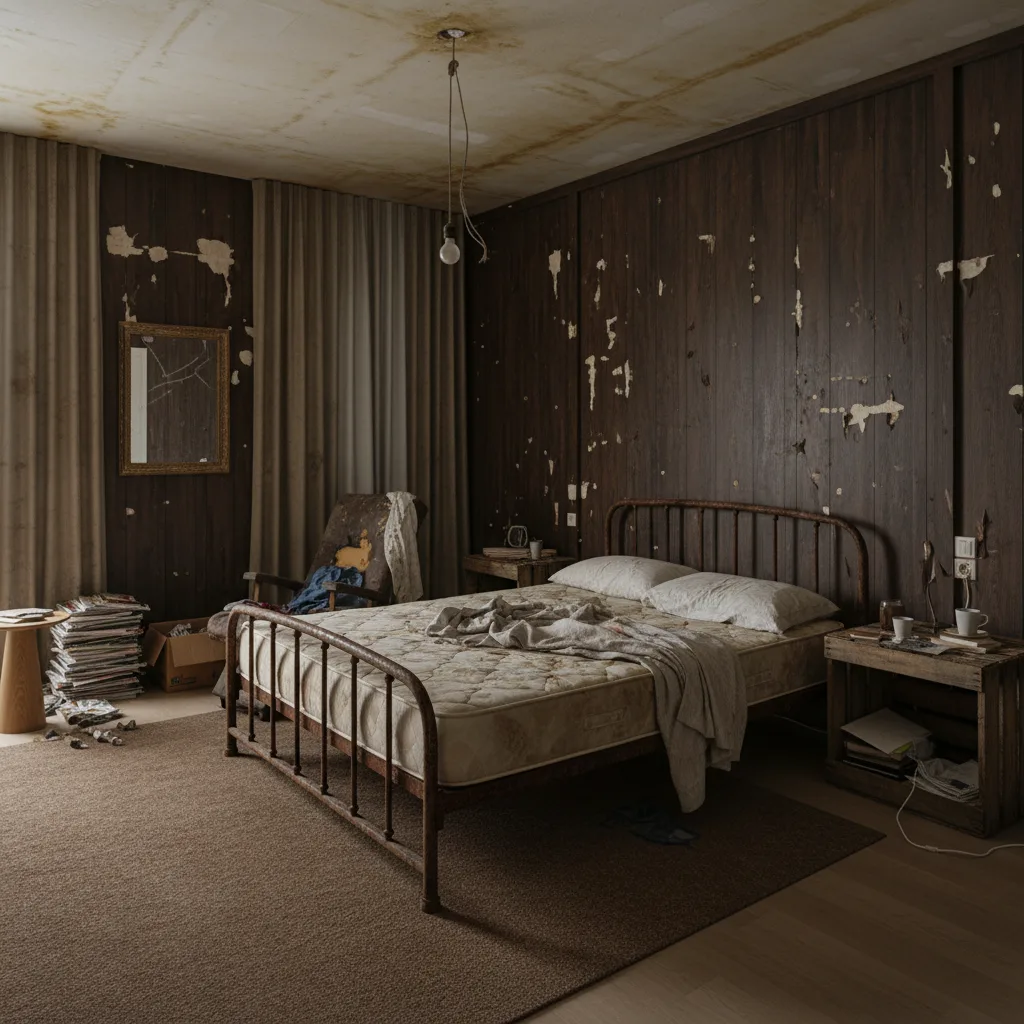
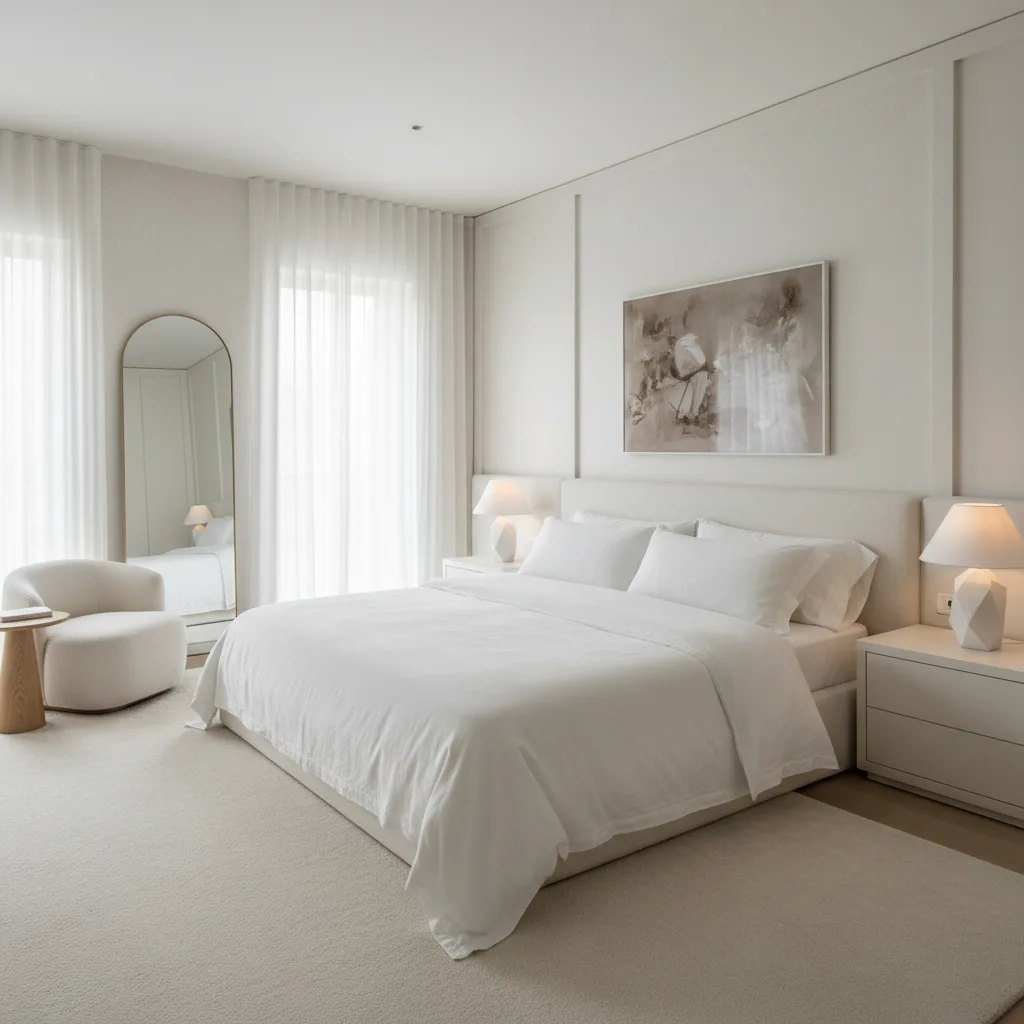
I servizi di render AI singoli — quando hanno senso
Se hai bisogno di render di qualità professionale per uno scopo specifico ma non vuoi un abbonamento continuativo, i servizi di render AI singoli su piattaforme come Fiverr e Upwork colmano questo vuoto. I prezzi tipici vanno da $25 a $150 a stanza, a seconda dei tempi di consegna, del numero di revisioni e del livello di qualità del fornitore.
Questi servizi hanno più senso per l'home staging immobiliare, quando metti in vendita una proprietà e devi mostrare agli acquirenti come potrebbe apparire una stanza vuota o datata, arredata e curata nello stile. Un render AI da $50 di un soggiorno vuoto può cambiare la percezione dell'acquirente senza che tu spenda un dollaro in mobili di staging veri. Per la pianificazione di una ristrutturazione personale, invece, un abbonamento mensile diventa più conveniente non appena hai bisogno di più di due o tre render.
- Caso d'uso ideale: annunci immobiliari, contenuti di marketing prima/dopo, presentazioni a chi ha bisogno di immagini rifinite
- Non ideale per: l'esplorazione personale iterativa — il costo per singolo render diventa presto insostenibile
- Tempi di consegna: in genere 24-72 ore, il che rallenta il processo decisionale
Assumere un interior designer — i numeri reali
Gli interior designer professionisti applicano tariffe secondo strutture diverse. Capire quale si applica al tuo progetto è importante prima ancora di fare la prima telefonata.
- Solo consulenza: $150–$500 per una sessione di 1-2 ore che copre direzione stilistica, colori e raccomandazioni generali. Niente render, niente ricerca prodotti, niente follow-up.
- Tariffa oraria: $100–$450 l'ora, a seconda del mercato e del livello di esperienza (dati NAHB). Un progetto completo per una stanza, a tariffa oraria, richiede spesso tra le 6 e le 15 ore.
- A progetto (tariffa fissa): $2.000–$15.000 per il progetto completo di una singola stanza — in genere include pianificazione degli spazi, ricerca prodotti, coordinamento dei fornitori e supervisione del progetto.
- Progetto per l'intera casa: $10.000–$75.000+ per progetti che coinvolgono più stanze, con contributo strutturale e gestione dell'impresa edile.
Vale la pena essere diretti su cosa offre un designer umano che l'AI non può offrire: approvvigionamento dei mobili a prezzi da settore (in genere il 20-40% sotto il prezzo al dettaglio), rapporti con le imprese edili che migliorano sia la qualità sia i tempi, ragionamento spaziale basato sulla presenza fisica (sta nella tua stanza, vede la luce, sa cosa il render non può mostrare) e responsabilità sul risultato. Se il divano che ha scelto non entra, se ne occupa lui. L'AI non fa niente di tutto questo.
Per ristrutturazioni dell'intera casa con budget superiori a $50.000, assumere un designer è quasi sempre la scelta finanziariamente giusta: i soli prezzi da settore spesso ripagano la sua parcella. Per l'arredamento di una singola stanza con un budget moderato, i conti sono meno netti.
L'approccio ibrido intelligente che quasi nessuno considera
Impostare la scelta come "AI contro designer" è un falso dilemma. L'approccio più conveniente per la maggior parte dei progetti di ristrutturazione è usare entrambi — nell'ordine giusto.
Usa prima l'AI per restringere il campo da dieci possibili direzioni a due o tre. Fai passare la tua stanza attraverso ogni stile che ti sia mai piaciuto. Elimina quelli che nel tuo spazio non funzionano. Individua le due o tre direzioni che ti sembrano quelle giuste. Fai uno screenshot di tutto. Poi arriva alla consulenza con il designer con un brief chiaro: «Siamo indecisi tra Japandi e Moderno — ecco come appare ciascuno nel nostro vero soggiorno».
Questa preparazione fa risparmiare 6-12 ore di tempo del designer — ore che altrimenti verrebbero spese nella ricerca iniziale della direzione stilistica, un lavoro che avresti potuto fare da solo. A $100–$450 l'ora, sono $600–$5.400 di parcella risparmiati semplicemente presentandoti con i compiti già fatti.
Sapere esattamente cosa vuoi prima della prima telefonata con il designer vale più del costo dell'abbonamento mensile. I designer fanno pagare il tempo. E il tempo speso a decidere cosa vuoi è il tipo di tempo più costoso.
Quale opzione fa per te?
La risposta giusta dipende da cosa vuoi ottenere e da quanto è alta la posta in gioco.
- Se sei solo curioso o stai esplorando stili diversi: comincia dal piano gratuito. I crediti gratuiti offerti alle nuove registrazioni bastano per capire cosa fa davvero la visualizzazione AI e se una direzione vale la pena approfondirla.
- Se stai pianificando attivamente una ristrutturazione: vai oltre i crediti gratuiti e la prova con un piano a pagamento (il prezzo aggiornato è indicato nell'App Store), così puoi continuare a testare direzioni e condividere i risultati con altri.
- Se stai facendo home staging per una vendita: o un servizio di render singolo ($25–$150 a stanza) o un piano a pagamento di Revamp AI, a seconda di quante stanze devi coprire e quanto in fretta ti servono i risultati.
- Se stai ristrutturando l'intera casa: usa i tuoi crediti gratuiti e la prova per definire un brief chiaro, poi assumi un designer per l'esecuzione. Il lavoro fatto con l'AI ridurrà le ore di designer necessarie e affinerà il risultato.
- Se hai un budget elevato e un progetto complesso: assumi un designer fin dall'inizio, ma usa comunque l'AI per esplorare le direzioni da solo prima del primo incontro. Otterrai più valore da ogni ora fatturata.
Come ottenere il massimo valore da qualsiasi strumento di design AI
Indipendentemente dal piano o dallo strumento che usi, ci sono cinque abitudini che producono costantemente risultati migliori.
- Scatta con buona luce. Luce naturale diurna, luci del soffitto spente. L'illuminazione artificiale — specialmente i toni gialdi caldi — altera tutti i colori nel risultato. Una foto scattata con poca luce produce un render con poca luce.
- Scatta frontalmente dalla porta o da un angolo. Cattura quanta più stanza possibile in un solo scatto. L'AI ancora il redesign alla geometria della tua stanza: più ne può vedere, migliore sarà il risultato.
- Fai una stanza alla volta. Resisti alla tentazione di caricare la foto di un open space e risolvere tutto in un colpo solo. Un input mirato produce un risultato mirato.
- Salva tutto ciò che ti piace prima di chiudere l'app. La maggior parte degli strumenti di design AI non salva automaticamente i render. Fai uno screenshot di ogni risultato che vuoi confrontare — in seguito non potrai ricreare esattamente lo stesso output.
- Confronta almeno tre stili prima di decidere. La tua prima reazione a uno stile nuovo nella tua stanza è quasi sempre sorpresa, non giudizio. Guarda tre o più opzioni prima di formarti una preferenza. Lo stile che a prima vista sembra sbagliato spesso vince dopo dieci secondi.
Un'ultima abitudine che vale la pena coltivare: considera i render come una direzione, non come una decorazione. L'obiettivo non è trovare un'immagine che ti piace — è individuare quale linguaggio stilistico si adatta al tuo spazio, così puoi prendere con sicurezza vere decisioni di acquisto e ristrutturazione.
In sintesi
La domanda non è se valga la pena pagare per il design d'interni con l'AI. La domanda è cosa stai pagando e quale decisione ti aiuta a prendere. I piani gratuiti sono davvero utili per l'esplorazione. Un abbonamento mensile in questa categoria è un costo irrisorio rispetto alle decisioni che sostiene. I servizi di render singolo coprono una nicchia per lo staging e le presentazioni. I designer umani sono insostituibili per i progetti complessi, dove esecuzione, approvvigionamento e responsabilità contano davvero.
Se nel 2026 stai ristrutturando una stanza qualsiasi e non hai ancora provato uno strumento di design AI, comincia con Revamp AI: gratis da scaricare, con 3 crediti gratuiti a vita e una prova gratuita di 3 giorni, la tua vera stanza in uno stile diverso in pochi minuti. Il costo di non sapere quale direzione vuoi è quasi sempre più alto del costo di scoprirlo.
Provalo gratis con Revamp AI
Approfondimenti correlati: La guida completa al design d'interni con l'AI · Design AI vs assumere un interior designer · Design d'interni AI gratuito: cosa ottieni davvero · Le migliori app di design d'interni AI (2026)
Domande comuni
Domande frequenti
Per la maggior parte delle persone che stanno pianificando una ristrutturazione, sì — ma dipende con cosa lo confronti. Con un piano gratuito a costo zero e un piano a pagamento dal costo estremamente contenuto, gli strumenti di design AI costano meno di trenta minuti del tempo di un designer professionista. Se un render evita un acquisto sbagliato di mobili o chiarisce la tua direzione prima di una consulenza con un designer, lo strumento si è già ripagato. La riserva onesta da fare: la visualizzazione AI aiuta con colori, stile e direzione spaziale. Non aiuta con l'approvvigionamento dei prodotti, la scelta dei materiali o la gestione del progetto — per questo serve ancora competenza umana.
Per l'esplorazione stilistica, la visualizzazione e l'individuazione di una direzione prima della ristrutturazione, l'AI è più veloce ed economica di un designer. Per le ristrutturazioni dell'intera casa, i progetti complessi o qualsiasi situazione in cui contano la qualità dell'esecuzione e la responsabilità — no. Un designer porta prezzi da settore (in genere il 20-40% sotto il prezzo al dettaglio), rapporti con le imprese edili, presenza fisica nel tuo spazio e responsabilità sul risultato. L'AI non fa niente di tutto questo. L'approccio più conveniente per la maggior parte dei progetti è usare l'AI per definire un brief chiaro, per poi far entrare un designer per l'esecuzione — riducendo le ore fatturabili di 6-12 ore nel processo.
Revamp AI è gratuito da scaricare, e ogni nuovo utente riceve 3 crediti gratuiti a vita più una prova gratuita di 3 giorni. Quanto costa dopo la prova è indicato nell'App Store, dove il prezzo resta aggiornato per il tuo Paese. Se stai pianificando attivamente una ristrutturazione, anche solo evitare una decisione di acquisto sbagliata basta a ripagare l'investimento — negli Stati Uniti, il solo costo medio per restituire mobili supera i $100 in spese.
Il percorso più conveniente è la visualizzazione AI per individuare la direzione, combinata con un'unica consulenza con un designer una volta che sai cosa vuoi. Usa uno strumento AI (il piano gratuito è sufficiente per l'esplorazione iniziale) per restringere il campo da dieci possibili stili a due o tre che funzionano nella tua stanza specifica. Poi prenota una consulenza di 1-2 ore con un designer ($150–$500) per avere un parere professionale sulla direzione finale, consigli sui prodotti e indicazioni sull'esecuzione. Questo approccio offre un pensiero di qualità professionale a una frazione del costo di un incarico di design completo.