La guía completa del diseño de interiores con IA: cómo funciona, cuánto cuesta y qué acierta de verdad
Las herramientas de diseño de interiores con IA pasaron de ser una curiosidad a ser realmente útiles en apenas dieciocho meses. Las primeras versiones generaban habitaciones de fantasía que no se parecían en nada a tu casa. La generación actual toma una foto de tu espacio real y le aplica un estilo de diseño: tus paredes, tus ventanas, tus proporciones. Esa es una diferencia que importa, y es la razón por la que ahora la gente toma decisiones de reforma basándose en renders de IA en lugar de tableros de Pinterest.
Esta guía lo cubre todo: cómo funciona la tecnología en realidad, en qué es realmente buena, dónde se queda corta, qué herramientas merece la pena usar y cómo conseguir resultados sobre los que puedas actuar. Si tienes treinta minutos, léela entera. Si tienes cinco, usa los encabezados para saltar directamente a lo que necesitas.
Qué es realmente el diseño de interiores con IA (y qué no es)
El término engloba dos cosas muy distintas. El primer tipo genera inspiración de diseño: produce imágenes preciosas de habitaciones que no existen. Herramientas como Midjourney entran en esta categoría. El resultado es atractivo, pero no tiene ninguna relación con tu espacio real, la altura de tu techo, tu suelo actual ni tu presupuesto.
El segundo tipo, la visualización específica de tu habitación, es donde está el valor real. Fotografías tu salón, lo subes y la IA aplica un estilo de diseño a tu espacio exacto. Las paredes se quedan donde están. Las ventanas se quedan donde están. Lo que cambia es el mobiliario, los colores, los materiales. Lo que ves es una versión plausible de tu habitación en otro estilo. Así es como funciona Revamp AI.
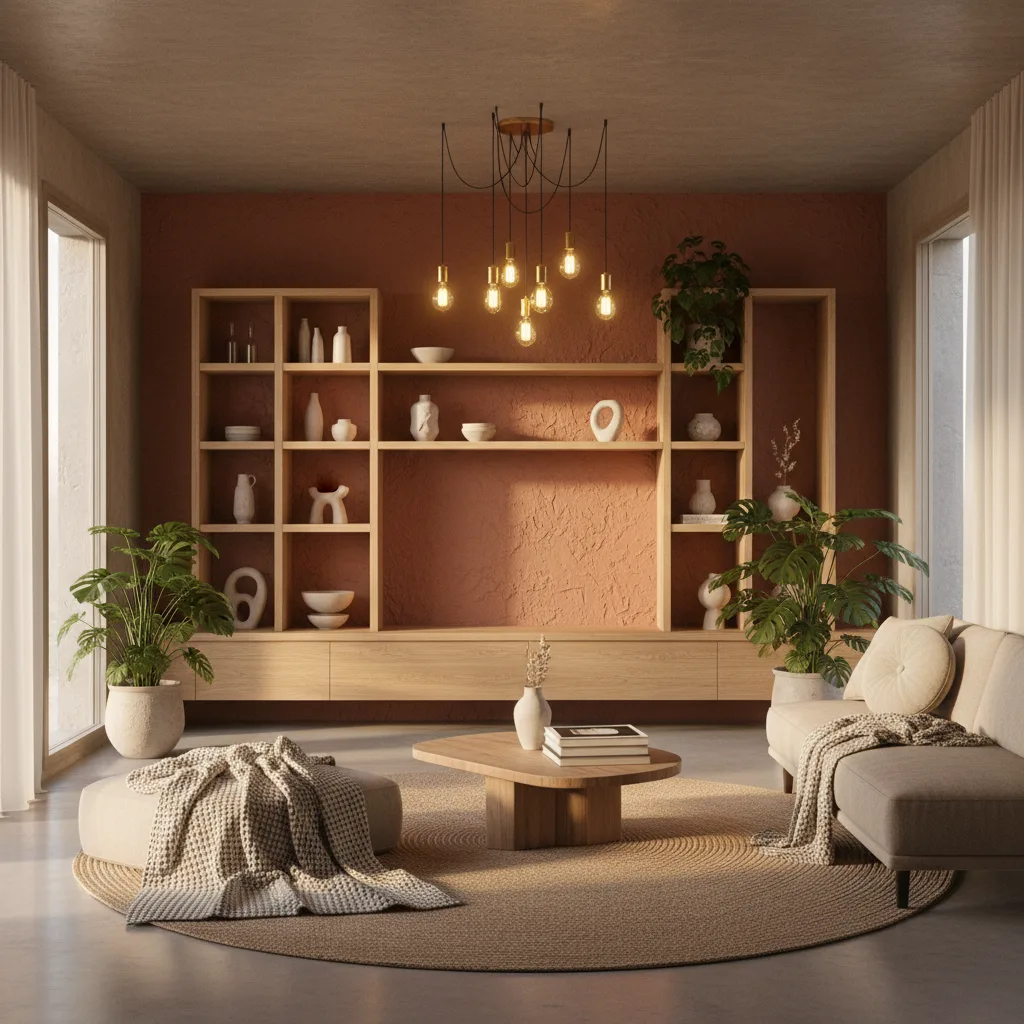
Si no puedes distinguir si la imagen del "después" es tu habitación o una foto de stock, es el tipo de herramienta equivocado. El objetivo del diseño de interiores con IA es ver tu espacio transformado, no el de otra persona.
Cómo funciona la tecnología
Las herramientas modernas de diseño con IA combinan segmentación de imágenes y modelos de difusión. La capa de segmentación identifica los elementos estructurales (paredes, suelos, ventanas, puertas, techo) y los separa de los elementos móviles (mobiliario, decoración, iluminación). El modelo de difusión sintetiza después una nueva versión de esos elementos móviles en el estilo elegido, anclada siempre a la geometría estructural de la foto original.
El resultado no es un fotomontaje: es una imagen generada que ha aprendido de millones de fotos de interiorismo qué aspecto tiene realmente lo "escandinavo", lo "industrial" o lo "costero", y aplica ese lenguaje al contexto específico de tu habitación. Para profundizar en cómo funciona el rediseño de habitaciones con IA, esa guía repasa cada paso en lenguaje sencillo.
Qué acierta la IA
- Las relaciones de color. Si una pared en verde oscuro realmente combina con tu suelo de roble cálido. Es lo más difícil de visualizar a partir de una muestra de pintura, y la IA lo clava.
- La coherencia de estilo. Si un estilo encaja con las proporciones de tu habitación: un enfoque minimalista que funciona en un loft puede resultar frío en un apartamento pequeño con techos bajos. El render te lo muestra al instante.
- La escala del mobiliario. Si unos muebles bajos, tipo plataforma, se ven elegantes o simplemente agobiantes en las dimensiones concretas de tu habitación.
- La prueba del "demasiado". Los estilos Maximalista, Bohemio y Glam son difíciles de asumir sin verlos antes. La IA te permite aplicarlos y ver el resultado antes de comprar nada.
- La exploración de estilos. Probar diez estilos en diez minutos no cuesta nada, y es algo que ni siquiera un interiorista profesional puede ofrecer a esa velocidad.
Qué falla en la IA (seamos honestos)
- La búsqueda exacta de productos. El render muestra un estilo, no un sofá concreto de una marca concreta a un precio concreto. Todavía tienes que encontrar las piezas reales.
- La textura fina. El terciopelo y el lino se ven igual de "suaves" en un render. No puedes sentir la calidad de un material a través de una imagen.
- La iluminación a distintas horas del día. La IA renderiza tu habitación tal como aparecía en la foto. No puede simular cómo se verá esa pintura oscura a las 7 de la tarde bajo luz artificial cálida.
- Los cambios estructurales. Tirar paredes, añadir claraboyas, cambiar el tamaño de las ventanas: todo esto queda fuera del alcance de las herramientas de estilismo con IA.
- La sensación espacial. Una habitación puede verse bien en un render y aun así no sentirse bien al estar dentro. La IA resuelve la cuestión visual, no la experiencial.
Estos son límites reales. La herramienta es una ayuda de visualización, no un sustituto de un interiorista o un contratista. Responde a "¿funcionará esta dirección en mi habitación?". No responde a "¿qué debería comprar, cuánto costará o cuánto tardará?".
El diseño de interiores con IA según el tipo de habitación
Cada habitación tiene su propio nivel de riesgo y sus propios retos. Así se aplica la visualización con IA a cada una.
Salones
La habitación de mayor riesgo en la mayoría de las casas: la más visitada, la más fotografiada y la más cara de amueblar. La IA es especialmente útil aquí porque las decisiones de estilo en un salón implican tantos elementos interdependientes (sofá, alfombra, color de pared, iluminación, arte) que visualizar el conjunto es casi imposible sin un render. La guía de rediseño de salones con IA repasa los diez estilos de salón más habituales y cómo probarlos.
Dormitorios
El dormitorio es donde las decisiones de estilo más afectan al ánimo diario, lo que hace que acertar importe más de lo que la gente cree. La IA ayuda sobre todo con la cuestión del color (tonos oscuros y envolventes frente a tonos claros y serenos) y con la distribución del mobiliario. La guía de diseño de dormitorios con IA explica cómo usar la IA para probar ambas cosas.
Cocinas
Las reformas de cocina son las más caras y las menos reversibles. El color de los armarios, el material de la encimera, el alicatado y el acabado de la grifería interactúan de formas casi imposibles de prever de antemano. Aquí la IA es más valiosa como comprobación de cordura antes de encargar nada: "¿esta combinación de colores realmente funciona con la luz de mi cocina?". La guía de rediseño de cocinas con IA repasa los cinco estilos de cocina y cómo visualizarlos.
Baños
Las reformas de baño cuestan de media entre 11.000 y 15.000 dólares en Estados Unidos, según los datos de coste de Angi de 2026. La mayor fuente de arrepentimiento es el alicatado: es lo que más superficie cubre, lo más caro de cambiar y lo más difícil de visualizar a partir de una muestra de 10×10 cm. El rediseño de baños con IA te permite probar el color y el patrón del alicatado a tamaño real antes de encargarlo. La guía de rediseño de baños con IA lo cubre en detalle.
Despachos en casa
El despacho en casa es un reto híbrido: optimizas la función (concentración, ergonomía, cómo se te ve en las videollamadas) y la estética al mismo tiempo. La IA ayuda sobre todo con las cuestiones de color y colocación del mobiliario. La guía de diseño de despachos en casa con IA repasa los estilos y configuraciones que mejor funcionan para el trabajo concentrado.
Entender los estilos de diseño de interiores
Antes de poder probar un estilo con IA, necesitas saber qué probar. El diseño de interiores tiene unos veinte estilos distintos que aparecen una y otra vez, y muchos se parecen entre sí en las miniaturas de Pinterest. Escandinavo y Japandi son fáciles de confundir. Moderno y Contemporáneo se usan a menudo como sinónimos, pero significan cosas distintas. Farmhouse y Modern Farmhouse han evolucionado hacia estéticas genuinamente diferentes.
Nuestra guía de estilos de diseño de interiores desglosa los veinte estilos: qué hace que cada uno sea inconfundible, con qué se confunde más a menudo y a quién le sienta bien de verdad. Léela antes de tu próxima sesión con la IA para saber qué estilos probar.
Diseño de interiores con IA frente a contratar a un interiorista
Es la comparación que más se pregunta la gente. Un interiorista profesional aporta cosas que la IA no puede: conocimiento de productos y proveedores concretos, relaciones con contratistas, ojo para la calidad, razonamiento espacial fruto de la experiencia y responsabilidad sobre el resultado final. Si vas a hacer una reforma integral con un presupuesto de 100.000 dólares o más, contrata a un interiorista.
La IA se gana el sitio en otra fase y con otro presupuesto. Es lo que usas antes de contratar a un interiorista: para desarrollar un vocabulario de lo que quieres, descartar direcciones que suenan bien pero no funcionan en tu espacio, y llegar a una consulta de diseño con un briefing claro en lugar de un encogimiento de hombros. También es lo que usas en lugar de un interiorista cuando el presupuesto no da para uno. La comparativa entre IA e interiorista desglosa exactamente cuándo tiene sentido cada enfoque.
Cómo obtener los mejores resultados del rediseño con IA
- Dispara desde el rincón o desde la puerta. Capta la mayor parte posible de la habitación en un solo encuadre. Cuanto más contexto tenga la IA, mejor será el resultado.
- Usa luz natural de día. La iluminación artificial, sobre todo la luz amarilla cálida, altera todos los colores del resultado. Dispara de día y con las luces cenitales apagadas.
- Dispara en horizontal. Evita las tomas en ángulo o inclinadas. La IA ancla el rediseño a tus paredes y tu suelo; si esas líneas están torcidas, el resultado se tuerce con ellas.
- Despeja el desorden evidente. No necesitas una habitación perfecta. Pero quitar el montón de correo, los juguetes sueltos y los tres abrigos colgados en la silla le da a la IA superficies más limpias con las que trabajar.
- Prueba entre tres y cinco estilos por habitación. Tu primera reacción al ver tu habitación en un estilo nuevo suele estar equivocada: la sorpresa de "esto no es lo que esperaba" se disipa, y el mérito real (o la falta de él) se aprecia en la segunda y tercera mirada. La guía de prompts de diseño de interiores con IA tiene un marco completo, habitación por habitación, para decidir qué probar y en qué orden.
- Haz capturas de pantalla de todo. Los renders de IA no se guardan automáticamente. Captura las versiones que quieres comparar antes de cerrar la aplicación.
Cómo leer un antes y después de IA
La mayoría de la gente mira el "después" y decide de inmediato si le gusta. Ese es el enfoque equivocado. La pregunta útil es: ¿esta dirección encaja con mi vida en esta habitación? Un render que se ve precioso puede exigir sustituir todo el mobiliario. Un render que parece más sencillo puede lograrse casi sin coste. La guía del antes y después del rediseño con IA explica exactamente cómo extraer conclusiones útiles de un render. Si vives en un estudio o un apartamento pequeño, la guía de diseño de interiores con IA para espacios pequeños cubre las decisiones específicas de proporción que los consejos generales pasan por alto.
Diseño de interiores con IA: gratis frente a de pago
La mayoría de las herramientas de diseño con IA ofrecen un nivel gratuito. Lo que realmente obtienes gratis varía mucho: algunas te dan un render antes de plantarte un muro de pago total, otras ofrecen lo suficiente para tomar decisiones reales sin pagar. El desglose del diseño de interiores con IA gratis es una mirada honesta a lo que las versiones gratuitas ofrecen realmente y cuándo tiene sentido pasarse a la versión de pago.
Qué herramienta de diseño de interiores con IA usar
El mercado está saturado. Las herramientas van desde generadores de imágenes genéricos hasta visualizadores de habitaciones diseñados específicamente para esto, y la diferencia en la calidad del resultado es notable. La guía de las mejores apps de diseño de interiores con IA compara las principales opciones con honestidad: qué hace bien cada una, dónde se queda corta y para qué caso de uso es mejor cada una.
La mejor herramienta de diseño con IA es la que funciona sobre tu habitación real. Los renders genéricos son inspiración. Los renders específicos de tu habitación son decisiones.
Pruébala gratis con Revamp AI
Para profundizar: Cómo funciona el rediseño de habitaciones con IA · Rediseño de salones con IA · Diseño de dormitorios con IA · Rediseño de cocinas con IA · Rediseño de baños con IA · Guía de estilos de diseño de interiores · IA frente a interiorista · Coste y precios del diseño con IA · Guía de prompts de IA · IA para espacios pequeños · Antes y después del rediseño con IA
Preguntas habituales
Preguntas frecuentes
El diseño de interiores con IA usa aprendizaje automático para aplicar estilos de diseño a fotos de habitaciones reales. A diferencia de los generadores de imágenes con IA que crean espacios de fantasía, las herramientas específicas para habitaciones como Revamp AI toman una foto de tu espacio real y te muestran cómo se vería rediseñado en otro estilo: mismas paredes, mismas proporciones, distinto mobiliario y distintos acabados.
Para el color, la dirección de estilo y la escala del mobiliario, sí, de forma fiable. Para la selección exacta de productos, el detalle de la textura de los materiales o los cambios estructurales, no. Piensa en los renders de IA como una vista previa orientativa de alta calidad, no como un plano de diseño terminado. Responden a "¿funcionará esta dirección en mi habitación?", no a "¿qué debería comprar exactamente?".
La mayoría de las herramientas de diseño con IA, incluida Revamp AI, ofrecen un nivel gratuito que cubre un uso real. Los interioristas profesionales cobran entre 150 y 500 dólares por hora; las herramientas de visualización con IA que toman tu foto y aplican estilos cuestan nada o casi nada. La comparación de valor es evidente para la exploración y la generación de ideas. Para un desglose completo de los niveles de precios, los servicios de render puntuales y las cuentas de IA frente a interiorista, consulta la [guía de coste y precios del diseño con IA](/blog/ai-interior-design-cost-pricing).
Para reformas integrales con presupuestos grandes, no: un profesional aporta conocimiento de producto, relaciones con contratistas y responsabilidad de diseño que la IA no puede replicar. Para explorar estilos, visualizar rápido y marcar una dirección antes de diseñar, la IA es más rápida y accesible. La mayoría de la gente se beneficia de usar ambas cosas: la IA para desarrollar un briefing, un interiorista para ejecutarlo.
Los salones, los dormitorios, las cocinas y los baños funcionan todos bien. Los espacios de planta abierta son algo más difíciles porque interactúan varias zonas a la vez. Las habitaciones pequeñas suelen dar los antes y después más espectaculares, porque los cambios de escala se notan más. El único requisito en todos los casos: una foto nítida, bien iluminada y con un ángulo amplio.
Descarga Revamp AI (gratis en iOS y Android), haz una foto de la habitación que quieres rediseñar (desde la puerta o un rincón, con luz natural de día) y prueba entre tres y cinco estilos. Haz capturas de pantalla de los resultados que quieras comparar. Todo el proceso lleva menos de diez minutos.