AI Room Redesign Before and After: What the Results Actually Look Like (and What They Don't)
Before-and-after photos are the most shared content in interior design for a reason — they make transformation concrete. You are not being asked to imagine a finished room in the abstract; you are being shown exactly what changed and by how much. AI before-and-afters work the same way, but with one critical difference: the "after" is your room, not a stranger's. That changes what you can actually learn from it.
What follows is an honest account of what those results really show, where they are genuinely useful, and where they will quietly let you down if you treat them as something they are not.
What AI Before-and-After Results Actually Show
When you run an AI room transformation, the tool takes a photo of your existing room and applies a style to it — Scandinavian, Modern, Coastal, Industrial, Japandi, and so on. The structural elements stay where they are: your walls, windows, doors, and ceiling. What changes is everything that sits inside that structure — the furniture, the color palette, the materials, the surfaces, the decorative layer.
This is not a fantasy render of some imagined space. The AI reads the geometry of your room as its anchor and reimagines everything inside it. The "before" is not deleted — it is the foundation the "after" is built on. That is what makes the comparison meaningful: the same room, different direction.
The result you get is best understood as a *visual hypothesis*. It answers the question "would this style work in this space?" faster and more reliably than a paint swatch, a mood board, or three hours of scrolling Pinterest.
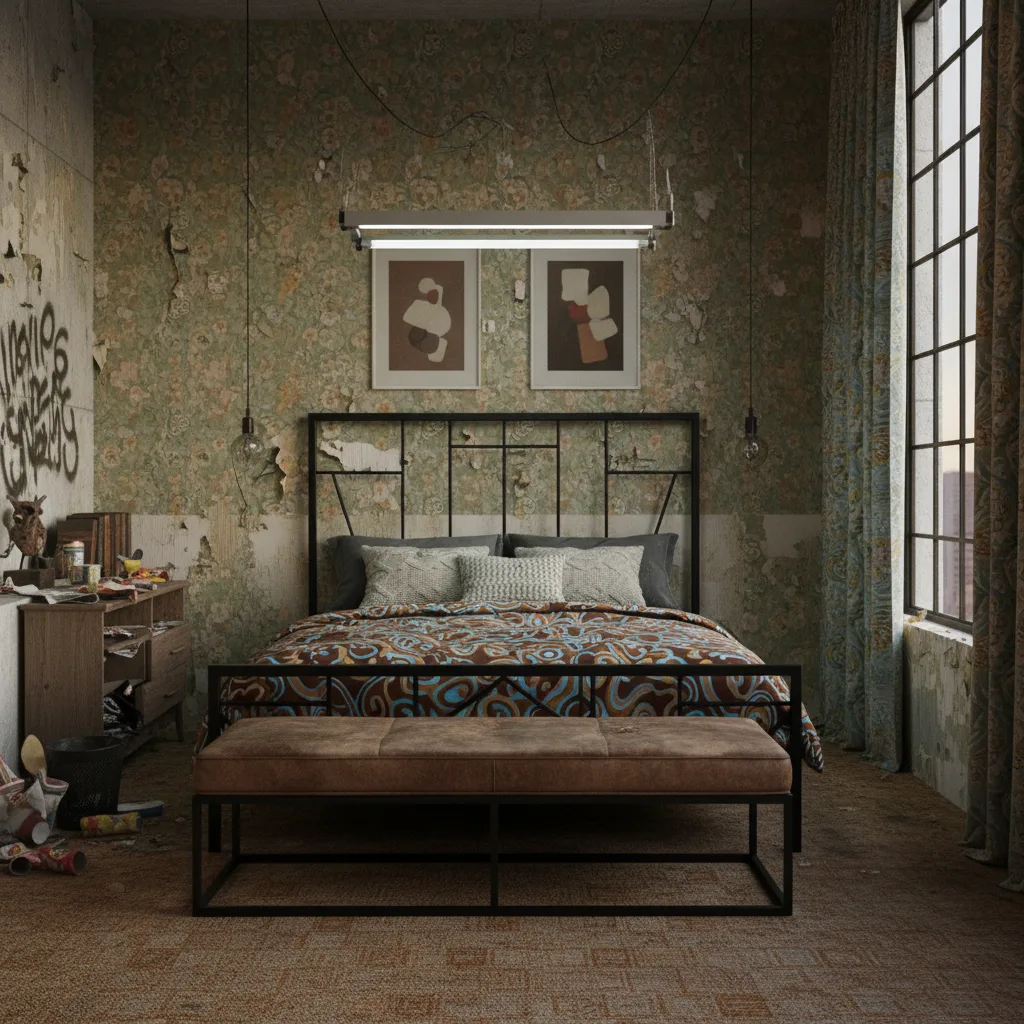
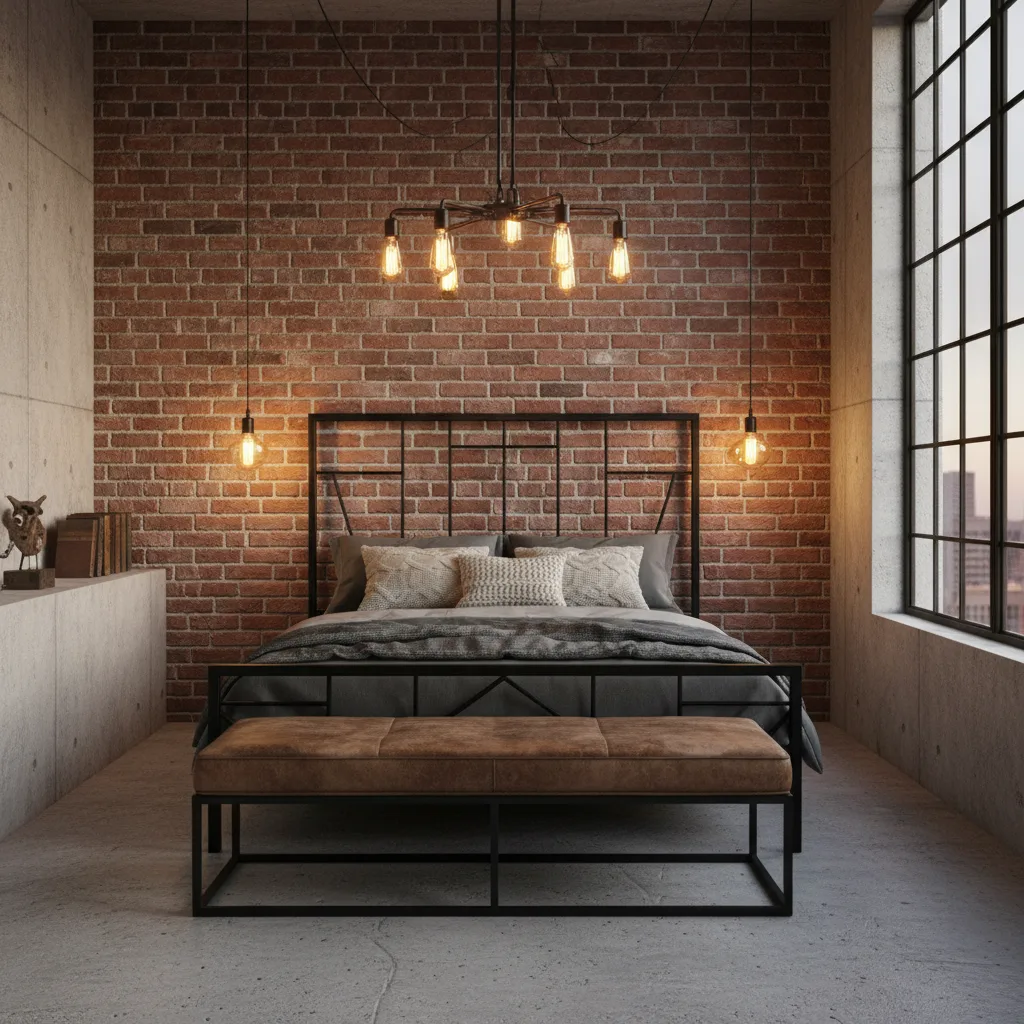
The 4 Things AI Gets Right in Before-and-After Results
These are the areas where AI interior design before after results are genuinely reliable — not just impressive-looking, but actually useful for making decisions.
- Color relationships. How a dark accent wall reads against your existing flooring, ceiling height, and natural light is almost impossible to judge from a paint chip. The AI shows you that relationship in context. If the contrast is too much or too little, you will see it immediately.
- Furniture scale. Whether a low-slung sofa works with your ceiling height, or a large sectional overwhelms a compact living room, is a spatial judgment the AI handles surprisingly well. It is not perfect on measurements, but it is far better than guessing from a floor plan.
- Style coherence. Some styles work beautifully in tall-ceilinged, light-filled lofts and feel cramped and dark in standard-height suburban rooms. The AI runs that test for you in your actual proportions, so you are not guessing from a showroom image shot under ideal conditions.
- The "too much" test. Wondering whether bold wallpaper, heavy pattern, or a dramatic color will overwhelm your space? The AI shows you the answer before you commit. That negative result — "this is too much for this room" — is as useful as a positive one.
What AI Before-and-After Results Don't Show
This section matters. Overselling what the tool can do is exactly what creates the backlash that makes people dismiss useful technology. So here are the real limits.
- Exact product recommendations. The AI shows you a style, not a specific IKEA sofa or a particular rug SKU. It is a direction, not a shopping list. You still have to source what you see.
- Texture in detail. Velvet and linen can both read as "soft upholstery" in a rendered image. The tactile difference — and the practical difference in a home with kids or pets — does not appear in the output.
- Lighting at different times of day. The result reflects the lighting conditions in your photo. How that same room looks at 6am, at noon, and at 10pm under artificial light is not something a single image captures.
- How the room feels to be inside. Spatial feeling — whether a layout is comfortable to move through, whether a room feels calming or activating — is different from its visual appearance. The AI solves the visualization problem, not the full design problem.
These are not product failures. They are inherent to what the technology actually is. A visualization tool that closes the gap between imagination and decision is genuinely valuable — as long as you do not ask it to be something else.
The "before" in AI redesign isn't a failure state — it's the anchor. It's what makes the "after" actually mean something to you.
How to Get the Best Before-and-After Results from a Single Photo
The quality of your input is the biggest variable you control. A few habits that consistently produce better room redesign before after results:
- Shoot from the corner or doorway. Capture as much of the room as possible in one frame. A corner shot showing two walls, the floor, and part of the ceiling gives the AI more structural context than a flat shot of a single wall.
- Shoot in natural daylight. Harsh shadows from overhead lighting or the warm cast of evening bulbs both confuse the model's reading of surface colors and depth. Daylight gives the cleanest, most neutral read.
- Use landscape orientation. Most rooms are wider than they are tall, and landscape framing captures more of the space. Portrait shots crop out context the AI needs.
- Clear the most cluttered surfaces. Visual noise — stacked mail, scattered toys, a pile of throw blankets — reduces how cleanly the AI can read the room's structure. You do not need to stage the room; just reduce the obvious clutter.
- Keep the camera level. Shooting on an angle distorts the geometry. Hold the phone straight and at eye level. The output is only as accurate as the perspective you give it to work with.
The Real Value of the Before-and-After Format
Here is what the before-and-after structure actually gives you that no other format does: a comparison you can make a real decision from.
"Do I like this better than what I have?" is a much more answerable question than "Do I like Japandi?" in the abstract. Abstract style preferences are notoriously unreliable — people say they love a style in a magazine and hate it in their own room. The before anchors the judgment in reality.
The before is not just context. It is the reference point that makes the after meaningful. Without it, you are back to guessing from someone else's room under different lighting with different proportions. With it, you are making a side-by-side comparison on your actual space. That is a categorically different quality of information.
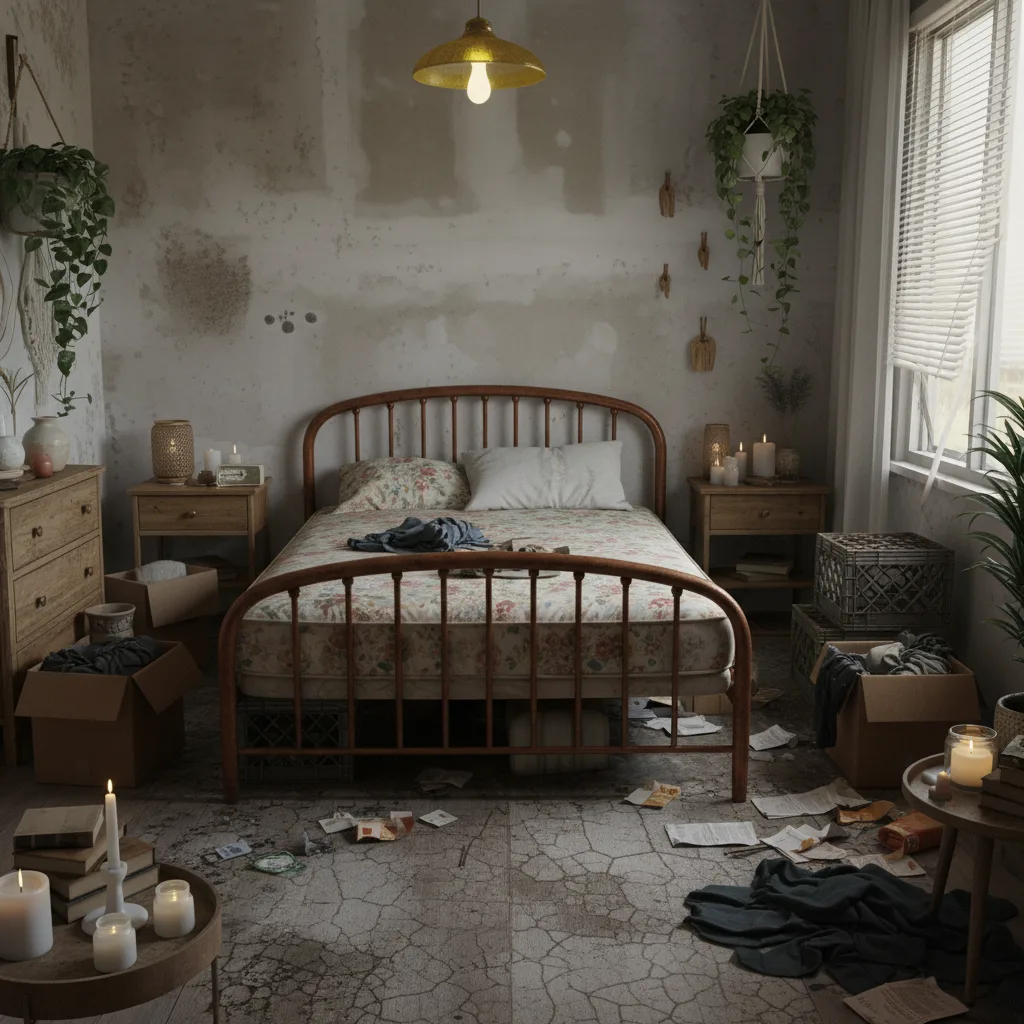
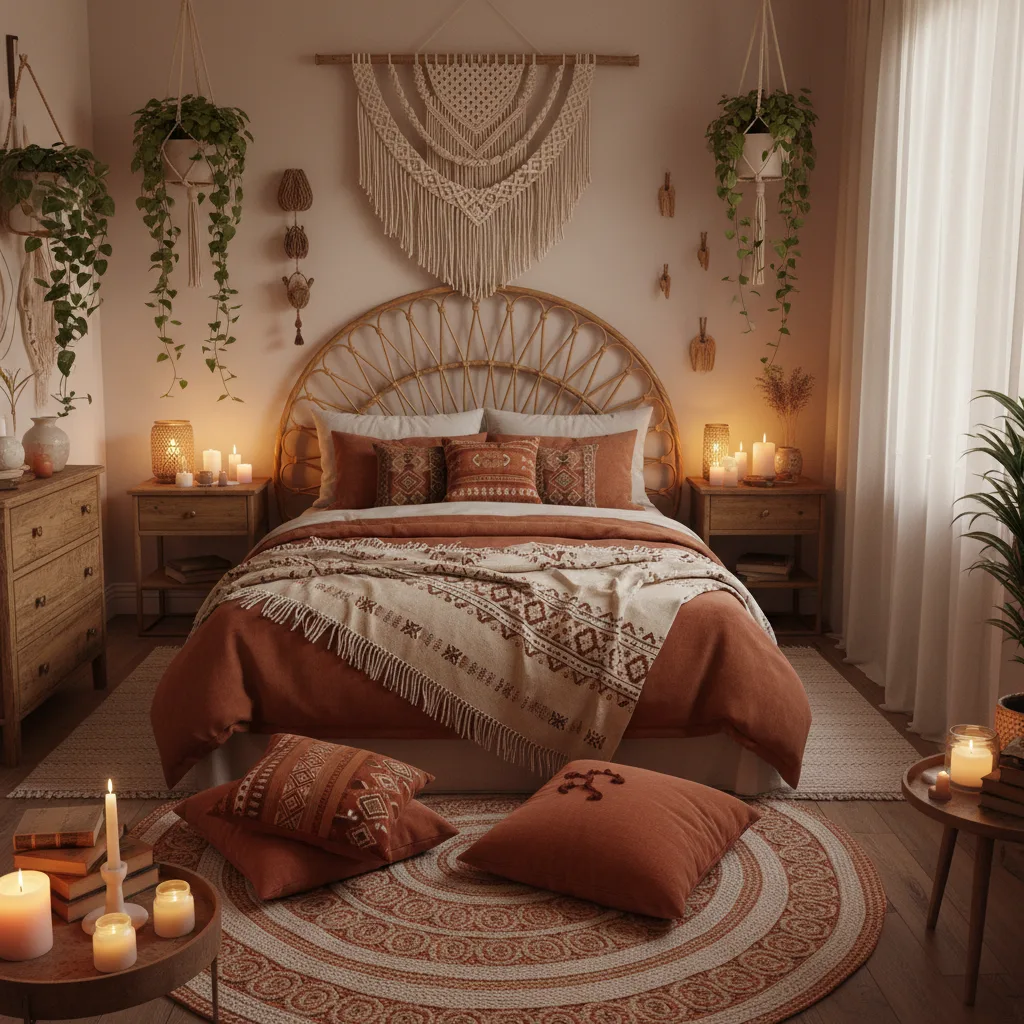
How Professionals Use AI Before-and-Afters
Interior designers use AI redesign for client approval. Before ordering furniture or specifying materials, showing the client a visual of their own room in the proposed direction dramatically reduces the back-and-forth that inflates project costs. The client reacts to something concrete rather than approving a mood board in the abstract.
Real estate agents use it for listing preparation. Showing a prospective buyer what an empty or dated room could look like — in their specific space, not a generic staged photo — converts faster than standard virtual staging. The buyer is imagining themselves in *that* room, not in a model home.
Renters use it to plan within lease constraints. If you cannot paint, cannot change the flooring, and need permission to hang anything substantial, the AI helps you understand which style directions work with what you already have — before you spend money on furniture you cannot return.
Ready to try it on your own space? Revamp AI generates before-and-after results from a single photo in under a minute. Download free on iOS and Android.
Jetzt kostenlos mit Revamp AI testen
For a deeper look at how the underlying technology works, read how AI room redesign works. For a style-by-style breakdown applied to a specific space, the AI living room redesign guide walks through ten different directions on a single room.
Further reading: How AI Room Redesign Works · AI Living Room Redesign Guide
Häufige Fragen
Häufig gestellte Fragen
Very realistic for color, material, lighting mood, and overall style — the things that are hardest to judge without seeing them in your actual room. Less reliable on precise furniture scale and product specifics. Treat the output as a confident visual direction rather than a precise floor plan, and it will consistently deliver useful information.
As a style reference and direction, yes — they communicate the aesthetic intent clearly. As a technical specification, no. AI results do not include measurements, material specs, or structural details. Use them to align on the look and feel, then work with your contractor on the actual build documents.
Living rooms, bedrooms, and dining areas produce the strongest results because they have clear furniture arrangements and defined style vocabularies. Kitchens and bathrooms work well too, though fixed elements like cabinetry and tiling are harder for the AI to replace convincingly. Rooms with good natural light and an unobstructed corner-to-corner view give the best input for the AI to work from.
You can run as many styles as you like on the same photo — there is no cap on generations. The practical approach is to run three to five styles in one session and compare them side by side. Your eye will eliminate the wrong directions quickly, and you will know within a few minutes which one is worth exploring further.